related blog
%20(3).svg)
Design
11
How UI Design Reduces Jobsite Errors
Effective UI design in construction software minimizes errors, enhances efficiency, and adapts to challenging jobsite conditions.

Poor UI design slows construction teams down, leading to errors, missed tasks, and wasted time. But a well-designed user interface makes software easier to use, helping workers focus on their jobs instead of struggling with clunky tools.
Key takeaways:
- Simple navigation speeds up tasks and reduces confusion.
- Touch-friendly interfaces work better for field conditions, like gloves and bright sunlight.
- Automation and visual feedback prevent mistakes by simplifying data entry and signaling errors.
- Offline functionality ensures tools work even without internet access.
Construction software with smart UI design improves accuracy, reduces errors, and helps teams stay on schedule. Apps like CrewCam, with features like GPS-tagged photos and offline syncing, show how effective design can transform fieldwork.
How Do You Pick the Best Construction Software? | GGA Construction
Core UI Design Principles for Construction Software
Construction software isn’t your typical office tool - it’s built for people working in challenging environments. From unpredictable weather to tight schedules, field workers face unique demands that require thoughtful design. The right software can help reduce errors and save time on the jobsite by focusing on usability.
Simple Navigation and Clear Layout
When time is tight, clear and straightforward menus are a must. The most effective construction apps organize features around workflows that users actually follow, instead of grouping them by technical categories. For example, placing essential tools like photo capture right on the main screen can significantly speed up daily tasks.
A logical information hierarchy makes it easy to find what you need without clicking through endless screens. Predictable layouts ensure workers spend more time completing tasks and less time figuring out how to use the app - especially helpful for new team members jumping into a project midstream.
Consistency is key. Uniform visual elements - like buttons, icons, and navigation patterns - help users build muscle memory. When everything looks and works the same across the app, it’s easier to avoid mistakes, even when under pressure.
Touch-Friendly Interfaces for Field Use
Jobsite conditions demand interfaces that work seamlessly in less-than-ideal environments.
Larger touch targets are a game-changer for workers wearing gloves or dealing with dirty hands. Buttons and interactive elements should be at least 44 pixels wide, making them easy to tap without frustration. This small adjustment can prevent countless headaches, especially when documenting tasks on tight deadlines.
Simple gestures - like swiping between photos or pinching to zoom - are far more practical than complex multi-touch commands. Workers wearing bulky gloves or using screens covered in dust need controls that feel natural and responsive.
High contrast design ensures visibility, whether under bright sunlight or in dimly lit areas. Text should pop against backgrounds, and critical buttons should use bold, easy-to-spot colors. This reduces the risk of missed information and squinting at screens.
Simple Design That Reduces Mental Load
Construction software should do one thing well: make workers' lives easier.
Focused functionality keeps things simple by presenting only the most relevant tasks at any given time. Instead of overwhelming users with too many options, the software should guide them toward their immediate goals.
Immediate visual feedback reassures users that their actions - like uploading a photo or marking a task complete - were successful. This confirmation helps reduce anxiety about losing important data in the middle of a busy day.
Minimal text and clear icons make navigation faster and easier. Workers juggling multiple responsibilities don’t have time to read lengthy instructions. Well-designed icons paired with short, action-oriented labels allow them to process information at a glance.
When construction software prioritizes intuitive design and practical functionality, it becomes a valuable tool, not an obstacle. By following these principles, developers can create apps that truly support field teams, helping them work smarter and faster in demanding conditions.
How Bad UI Design Creates Jobsite Errors
When construction software doesn’t focus on user experience, it can disrupt nearly every part of a project. Poor UI design doesn’t just slow things down - it directly impacts accuracy and safety on the jobsite. Here’s a closer look at how these design flaws can create real problems in the field.
Confusing Navigation and Hard-to-Find Features
Badly organized software forces workers to waste time searching for basic tools, turning what should be quick tasks into frustrating hurdles. Overly complicated menus make it difficult to access key functions, which can lead to delays on already tight schedules.
"Confusing navigation structures: Deep, hard-to-navigate menu structures make finding essential functions difficult and time-consuming." - AlterSquare
For example, if photo documentation tools are buried in the app, workers might skip using them altogether, leaving gaps in project records. Similarly, task management tools scattered across different sections of the software can cause teams to miss assignments or deadlines. When interface patterns are inconsistent - like buttons appearing in different places across the app - it adds another layer of confusion. These issues don’t just waste time; they can lead to misinterpreted instructions, missed tasks, and breakdowns in team communication.
Time Pressure Makes UI Problems Worse
The fast pace of construction work only magnifies the impact of poor UI design. Tight schedules mean there’s little room for error, and clunky software increases the likelihood of mistakes. With most construction projects including a 7–10% cost buffer to cover risks, software-related errors can quickly eat into that margin.
Under pressure, workers often bypass frustrating software altogether. They might skip uploading photos, ignore quality checklists, or avoid updating project statuses - leaving critical gaps in documentation. In some cases, teams may even revert to manual methods like paper forms or verbal communication, which are prone to errors and harder to track.
When workers are racing against deadlines, they need tools that streamline their tasks - not ones that slow them down. Poorly designed software becomes more than an inconvenience; it creates a domino effect of errors that can lead to costly mistakes and delays.
sbb-itb-5f4c686
UI Features That Prevent Jobsite Errors
Smartly designed UI features - combining automation, visual cues, and collaboration tools - help minimize mistakes while improving accuracy and keeping projects on track.
Automatic Data Capture and Organization
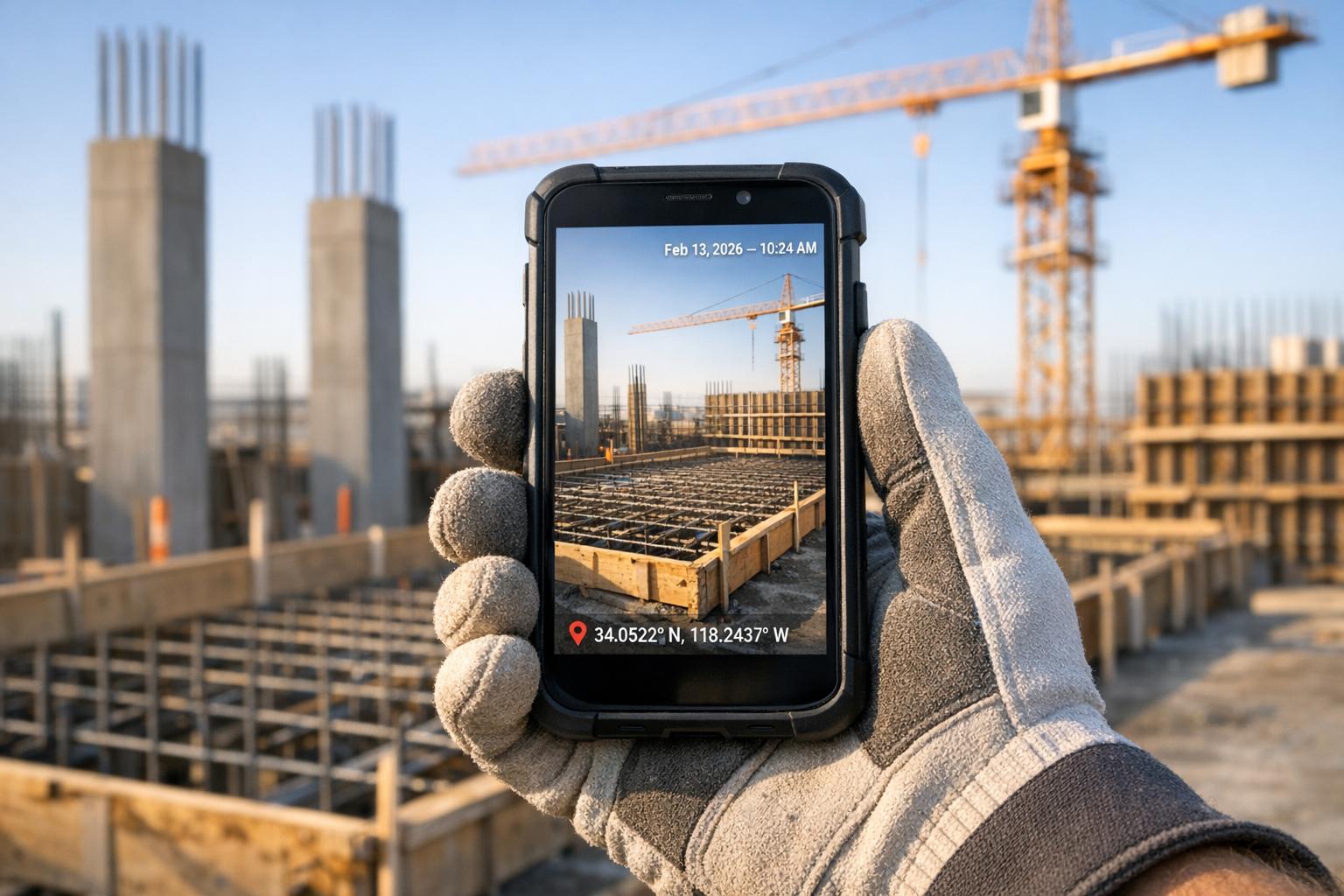
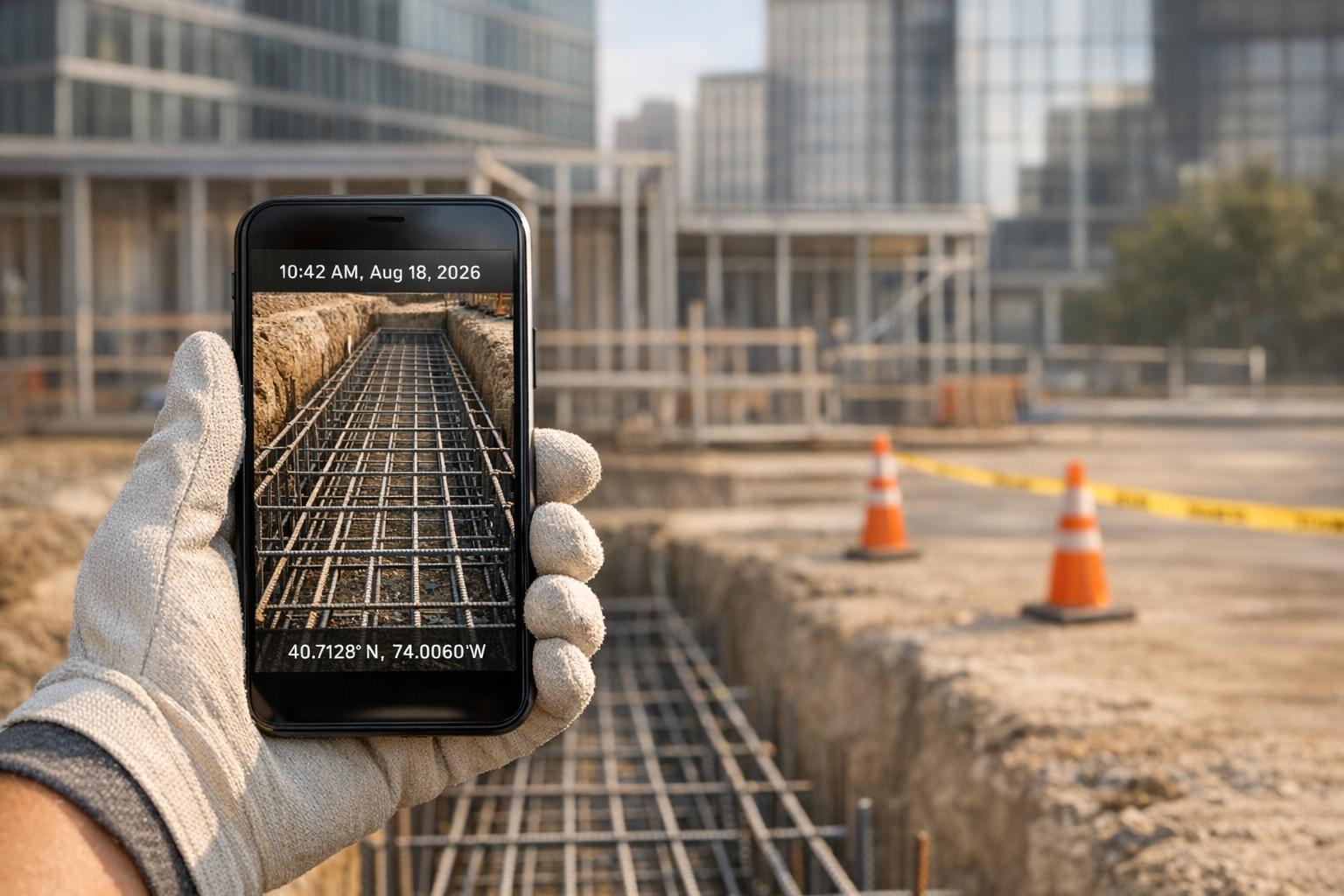
Relying on manual data entry, especially under tight deadlines, often leads to errors. Automatic data capture eliminates this risk by streamlining the process. For instance, CrewCam automatically records GPS and time-stamped photos and videos, ensuring every capture is accompanied by precise time, date, and location details. This creates a secure and reliable documentation trail for compliance purposes. On top of that, automated organization tools - such as project-specific galleries and unlimited cloud storage - systematically sort and store information. This allows workers to concentrate on their primary tasks rather than getting bogged down by administrative duties. According to industry research, construction software can automate up to 80% of repetitive administrative tasks, significantly reducing errors in data entry and reporting. Once automation ensures accurate data, clear visual feedback steps in to further safeguard against mistakes.
Visual Feedback and Error Prevention
Good software uses intuitive visual cues to catch errors before they become problems. Progress indicators, completion checkmarks, and real-time validation are key features that immediately signal whether tasks are done correctly or if something is missing. For example, a photo checklist might turn green once all required images are uploaded or show a warning icon if a mandatory field is left blank. Real-time validation adds another layer of protection by flagging incomplete or incorrect inputs instantly, ensuring minor mistakes don’t snowball into bigger issues.
Simple Collaboration and Communication Tools
While automation and visual feedback address individual tasks, effective collaboration tools tackle the broader challenge of team communication on the jobsite. Modern construction software makes this easier by offering real-time collaboration features that ensure everyone stays aligned. CrewCam, for example, lets teams annotate photos with drawings, text, and comments, enabling clear, direct communication between field workers and supervisors. Live project feeds provide real-time updates, keeping all stakeholders informed about changes, issues, or completed tasks as they occur. Additionally, task checklists embedded within projects help ensure every required step is completed before moving forward, promoting accountability and reducing the chance of oversights. These tools create a centralized hub - a single source of truth - where up-to-date project information supports better decision-making.
Designing UI for Field Conditions
Construction sites come with their own set of challenges: glaring sunlight, dusty environments, workers wearing gloves, and unreliable internet connections. These factors make smart UI design a necessity to ensure software remains functional and minimizes errors, even in tough conditions.
Mobile-Friendly Layouts for Small Screens
Field crews rely heavily on smartphones and tablets, so prioritizing a mobile-first design is critical. The interface should display key information clearly, without requiring excessive scrolling or zooming. Touch targets need to be spaced out to prevent accidental taps, especially when workers are wearing gloves.
Take CrewCam as an example. Its swipe-friendly navigation and simplified interface are built specifically for mobile use. Workers can snap HD photos, annotate them with intuitive gestures, and browse project galleries - all without struggling with tiny buttons or overly complicated menus. Since field workers often operate with one hand while managing equipment or maintaining balance, single-handed functionality is a must.
The layout also focuses on the most-used features. Tasks like capturing photos, selecting projects, and documenting key details are accessible in just one or two taps. This reduces the mental strain on workers juggling multiple responsibilities, ensuring they can get their job done efficiently.
Offline Mode and Data Syncing
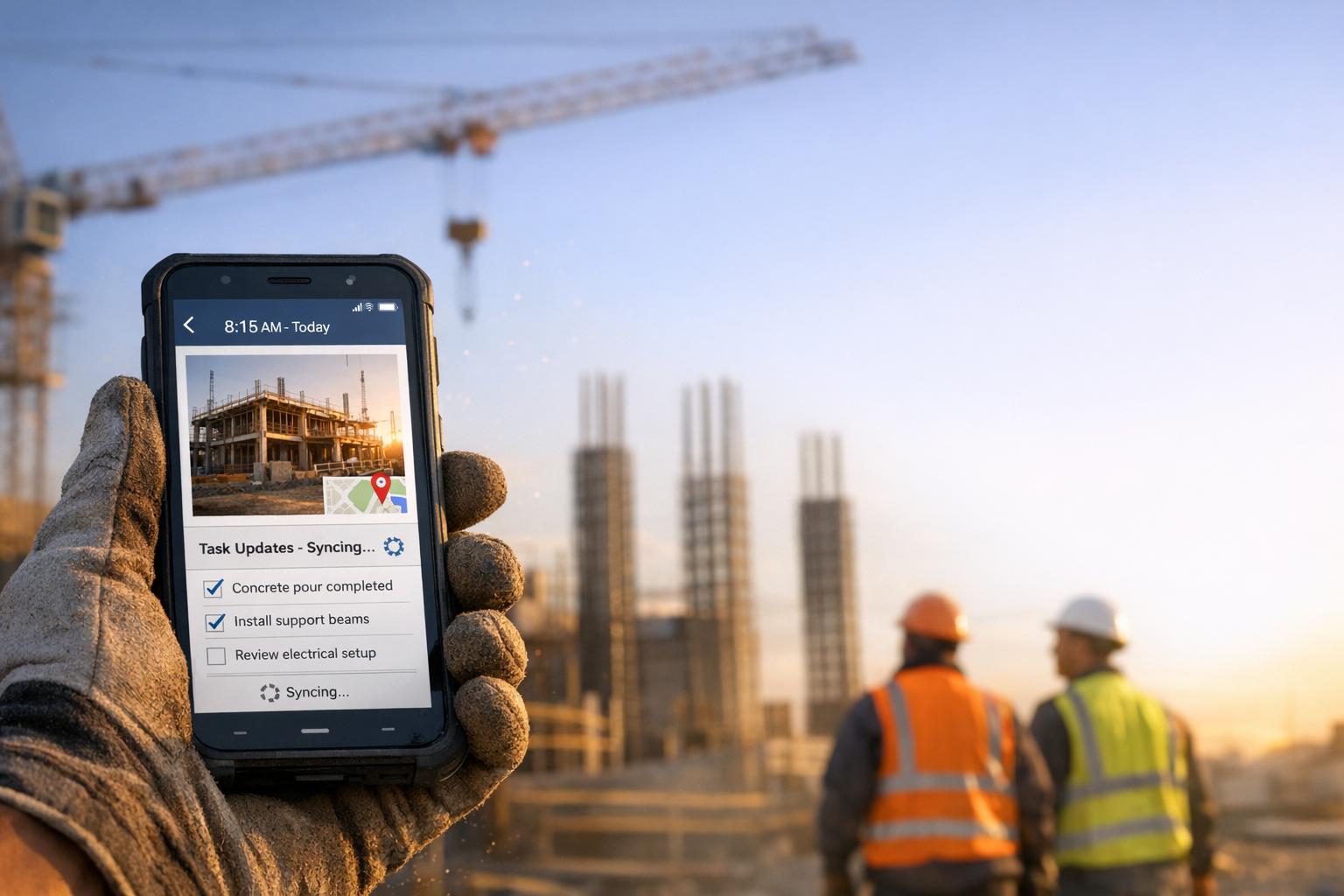
Even the best-designed mobile layouts are incomplete without offline functionality. Construction sites often have unreliable or no internet access, making offline capabilities essential. A well-designed app should allow workers to continue their tasks - like documenting progress, taking photos, or completing checklists - without interruption, and then sync all data automatically once they’re back online.
For instance, CrewCam offers a robust offline mode that lets users capture GPS and time-stamped photos, complete checklists, and update project details, even without a network connection. The app stores all data locally on the device and automatically uploads it to the cloud when connectivity is restored. This ensures a seamless project timeline and eliminates gaps in documentation.
Offline functionality also prevents workers from skipping documentation due to app unresponsiveness. By syncing data automatically, it removes the hassle of manual uploads and reduces the risk of losing important records. This feature is crucial for maintaining compliance and ensuring accurate project tracking.
Interface Design for Tough Environments
Construction sites are no place for delicate designs. Interfaces need to perform well under harsh conditions, with high-contrast visuals, large fonts, and clear indicators to ensure usability.
Good construction software uses bold, contrasting colors that remain visible even under direct sunlight. Buttons and status indicators are designed to stand out clearly, while text is sized for quick readability. Icons are straightforward and easy to understand, avoiding abstract symbols that could confuse workers under pressure.
Environmental factors like dust, moisture, and temperature changes can also affect device performance. Interfaces must account for these challenges. For example, touch sensitivity should remain reliable even when screens are dusty or damp, and the app should respond promptly to avoid repeated taps.
CrewCam addresses these issues with a high-contrast design and a clear visual hierarchy. Its interface is built to handle the realities of construction sites, ensuring consistent performance no matter the conditions. By designing with the field environment in mind, construction software reduces errors and keeps workflows running smoothly.
Conclusion: Better Jobsites Through Smart UI Design
Thoughtful UI design can be a game-changer for construction projects, helping to avoid errors and keep work on schedule. When construction software emphasizes easy-to-use navigation, clear visual feedback, and mobile-friendly interfaces, teams experience fewer mistakes, better communication, and stronger accountability.
The benefits are clear: intuitive layouts and visual cues help reduce errors while simplifying workflows on the jobsite. Beyond these efficiencies, the financial stakes are significant. In the U.S., rework accounts for 5%–20% of total project costs, often due to miscommunication or documentation issues. Software that boosts productivity by up to 20% and trims delays by 15% can lead to substantial cost savings and a competitive edge.
It’s important to choose tools designed specifically for the challenges of construction. Field teams need software that can handle tough environments, sync data automatically, and simplify documentation. Automated data capture, for instance, can reduce manual entry by as much as 30%, freeing workers to focus on critical tasks.
Take CrewCam as an example. Its features include GPS-tagged, time-stamped photo documentation, on-photo annotations, and offline capabilities - all tailored to streamline fieldwork. This app not only creates a reliable visual record that meets legal standards but also offers a swipe-friendly interface that’s easy for field crews to navigate.
As the construction industry increasingly adopts digital tools - cloud-based software usage has grown by more than 50% in the last five years - companies that prioritize user-friendly design stand to gain the most. Fewer errors, stronger team accountability, and smoother project execution are just some of the rewards of embracing smart UI design.
For teams looking to cut down on jobsite errors and boost efficiency, exploring tools like CrewCam can be a solid starting point. Smart UI design isn’t just an upgrade - it’s a necessity for better project outcomes.
FAQs
How does intuitive UI design help reduce mistakes and boost efficiency on construction sites?
An intuitive user interface (UI) in construction software plays a key role in minimizing errors. By making tools easy to navigate and understand, it ensures users can complete tasks quickly and accurately. Clear visual cues and simple workflows guide team members, reducing the need for troubleshooting and improving overall efficiency.
Features such as real-time updates, on-photo annotations, and well-structured checklists further streamline communication and task management. These tools help keep everyone on the same page, prevent critical steps from being missed, and promote accountability. The result? Time saved, smoother operations, and lower costs on the jobsite.
How does intuitive UI design help reduce errors on construction jobsites?
Intuitive UI design is essential for reducing errors on construction sites by making software easier to use and interact with. Features such as large, easy-to-read buttons, clear icons, and minimal text allow workers to navigate tools quickly, even in high-stress or tough conditions. Interfaces designed for high visibility, regardless of lighting, further help prevent mistakes.
By simplifying workflows and cutting down the time it takes to learn new systems, user-friendly designs let teams concentrate on their tasks instead of wrestling with overly complex software. Tools like on-photo annotations and real-time updates improve communication and accountability, keeping everyone on the same page and catching potential issues early. This approach not only boosts productivity but also supports safety and precision on the jobsite.
Why is offline functionality important in construction software, and how does it help prevent jobsite errors?
Offline functionality plays a crucial role in construction software. It ensures that teams can access and update project details even in locations with weak or no internet access, like basements or remote job sites. This capability helps avoid delays and mistakes that can arise from missing data or disruptions in communication.
With offline access, users can document progress, take photos, and manage tasks without interruption. When the connection is restored, all updates sync automatically, keeping records accurate and workflows running smoothly. This minimizes the chance of miscommunication and ensures no updates are overlooked.
Related Blog Posts
See CrewCam in action
Start your free trial now by clicking the button below


Wanna chat or demo?
Questions? Concerns? Requests? Talk to a real human

Watch a CrewCam demo now 😎
Short on time, busy, got jobs to do? See how CrewCam works now!